

How to Create an Online Platform: From Idea to Launch
Creating an online platform can seem overwhelming at first. A successful digital product combines a strong concept, engaging functionality, visual design, technology, user experience, online infrastructure, testing, and marketing.
The good news is that you do not need to build everything at once. Most successful projects begin with a simple idea and gradually turn it into a functional digital experience through planning, prototyping, testing, and continuous improvement.
Whether you want to create a small interactive platform or build a larger commercial digital product, the development process generally follows the same core stages.

1. Start With a Clear Idea
Every digital product begins with an idea. Before choosing a development framework or writing code, define what you actually want to create.
Ask yourself:
- What type of platform will it be?
- Who is going to use it?
- What makes it useful?
- What will users do regularly?
- Will it support individual or collaborative activities?
- Which devices and platforms will support it?
- What makes your product different from similar solutions?
For example, you might start with a simple concept: An online collaboration platform where users work together to complete projects, exchange information, and achieve shared objectives.
You don't need hundreds of pages of documentation at this stage. A clear concept is enough to begin exploring the idea.
2. Define the Core Functionality
The next step is deciding what users actually do. This is often called the core user journey.
A typical interaction process might look like:
Explore → Register → Participate → Complete Tasks → Earn Rewards → Return
The experience should give users a reason to continue using the platform. For an online service, you also need to think about how people interact with each other.
Will they:
- Collaborate?
- Communicate?
- Exchange information?
- Share resources?
- Create content?
- Participate in activities?
- Complete objectives together?
The user experience should be considered early because interactive functionality can influence the platform's architecture and design.
3. Choose the Right Technology
A development framework provides many of the technologies needed to build a digital product, including interface components, data management, integrations, authentication, and development tools.
Popular options include:
React React is widely used for building interactive user interfaces and supports a flexible component- based development approach. It uses JavaScript or TypeScript.
Next.js Next.js is a popular framework for developing modern web applications. It supports server- side rendering, routing, and various performance optimization features.
Vue.js Vue.js is a progressive framework suitable for building interactive interfaces and scalable web applications. Its structure makes it accessible to developers with different experience levels. The right technology depends on your product requirements, your team's experience, target platforms, and technical needs.
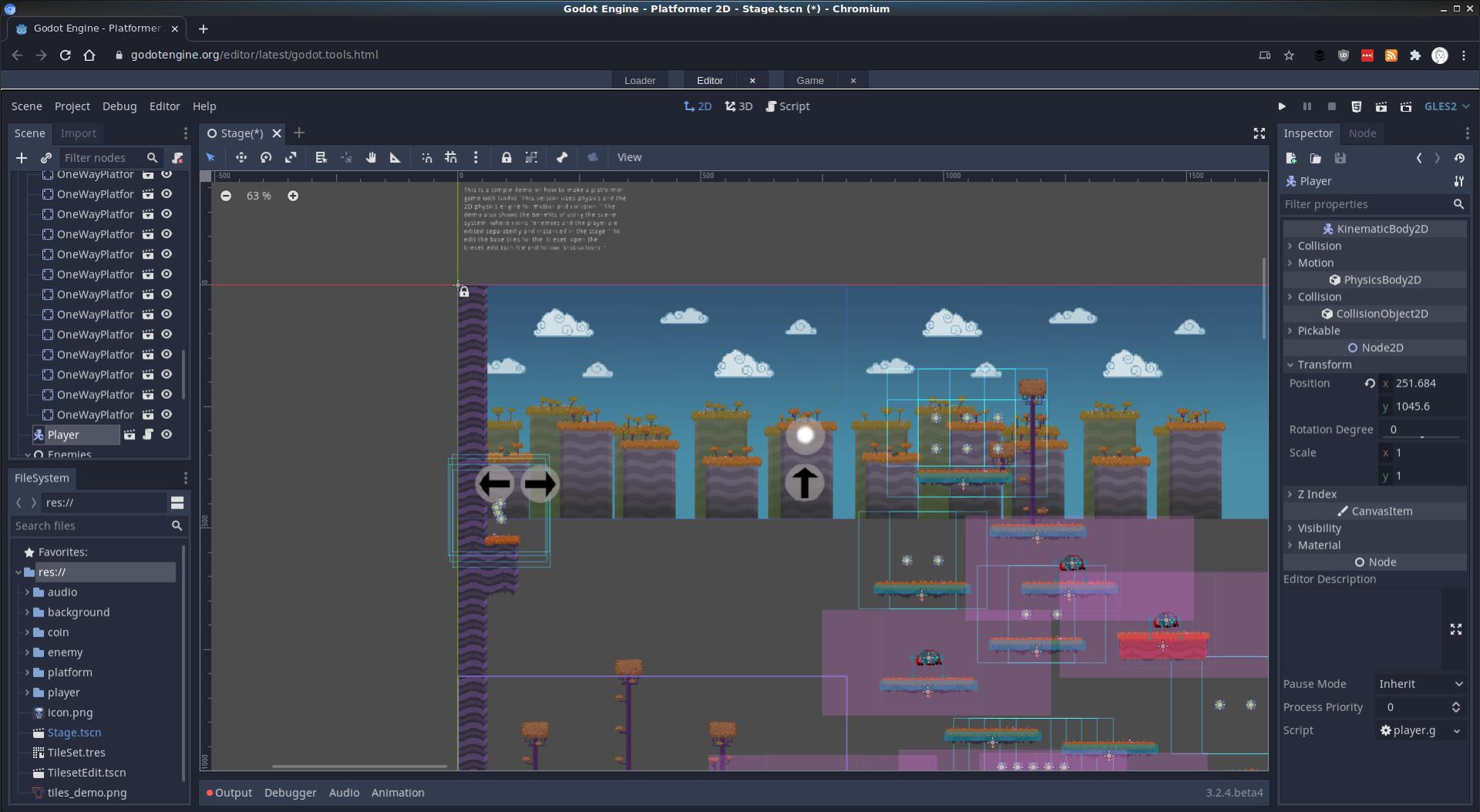
4. Build a Prototype
Don't start by creating the entire platform. Build a prototype first. A prototype is a simplified version of your idea that answers one important question: Is the product useful and intuitive to use? At this stage, visual details don't need to be impressive. You can use basic interface elements, placeholder images, simple layouts, and temporary content.
For example, if you're creating an online collaboration platform, your first prototype might only contain:
- One main dashboard
- Basic user profiles
- A registration system
- Simple navigation
- A shared workspace
- Basic communication functionality
If the basic version works well, you can start expanding it.
5. Design the Online Architecture
Online platforms require additional technical infrastructure compared with standalone applications. You need to determine how users connect and how information is processed and synchronized.
A simplified online architecture can look like:
User → Application Interface → Server → Database
The server can be responsible for important application information such as:
- User profiles
- User profiles
- Account information
- Content
- Permissions
- Notifications
- Activity records
- Transaction history
- Platform settings
A well-designed architecture helps maintain data consistency, protect important information, and support future platform development.
6. Build Interactive Features
Once the basic prototype works, you can begin implementing additional functionality.
Typical online platform features include:
- User accounts
- Authentication
- User profiles
- Search functionality
- Notifications
- Communication tools
- Content management
- Activity tracking
- User statistics
- Personalized dashboards
- Administrative controls
- Server management
Not every platform needs all of these. A small informational service might only need user accounts and basic content management, while a large interactive platform may require significantly more infrastructure.
7. Create the Digital Environment
This includes:
Visual Identity Logos, colors, typography, illustrations, icons, and brand elements.
Interface Design Dashboards, navigation, content pages, forms, settings, and interactive components.
User Experience Navigation flows, accessibility, onboarding, usability, and interaction patterns.
Audio and Visual Elements
Background sounds, interface
feedback, animations, transitions,
and visual effects where
appropriate.
Good digital product design is not
only about visual quality.
Accessibility, navigation,
interaction, responsiveness, and
feedback all contribute to how a
platform feels.
8. Add Engagement and Reward Systems
Online platforms often need systems that give users reasons to return.
Depending on the product, this could include:
- User achievement levels
- Unlockable features
- Personalized recommendations
- Recognition systems
- Progress tracking
- Badges
- Seasonal activities
- Challenges
- Quests
- Community rewards
The engagement system should support the platform's main purpose rather than becoming the only reason people continue using it.
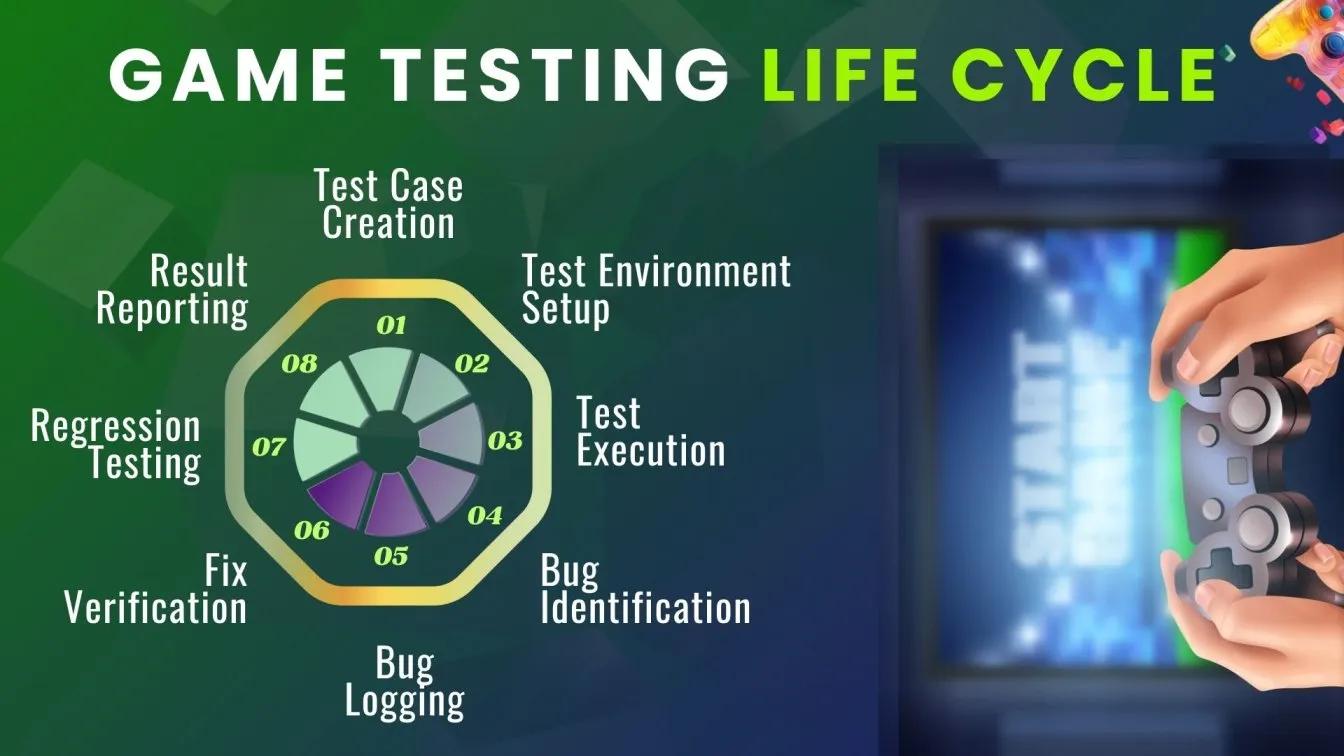
9. Test Everything
Testing is one of the most important parts of digital product development.
A platform can work perfectly when accessed by one developer and experience problems when hundreds or thousands of users connect simultaneously.
Important areas to test include:
- Core functionality
- User experience
- Account registration
- Data synchronization
- Server stability
- Connection problems
- Performance
- Different devices
- Different screen resolutions
- User interface
- Data storage
- Account management
- Security
- Network latency
You should also test with people who were not involved in development. New users can discover problems that the development team has become accustomed to overlooking.
10. Optimize the Platform
Performance becomes increasingly important as a project grows. Developers may need to optimize: Images and graphics Website assets Interface components Animations Network traffic Server performance Memory usage Loading times CPU and database usage
Optimization is particularly important for online platforms because poor performance can negatively affect the experience of many users at once.
11. Decide How You Will Monetize the Platform
Before launch, decide how the product will generate revenue.
Common models include:
Premium Customers pay once to access the product or service.
Free-to-use Users can access the platform without paying upfront, while revenue comes from optional purchases or additional services.
Subscription Customers pay regularly for access to the platform or additional features.
Additional Services Premium functionality, integrations, or extended services are offered separately.
Digital Products
Customers can purchase digital
resources, templates, or other
downloadable materials.
The appropriate model depends
heavily on the product, audience,
development costs, and long-term
business strategy.
12. Prepare for Launch
Launching an online platform
involves much more than
uploading the final version.
You may need:
Website pages
Screenshots
Promotional videos
Product demonstrations
Press materials
Social media accounts
Community channels
Website documentation
Communication platforms
Influencer outreach
Launch campaign
Customer support
Server infrastructure
You should also make sure your
website descriptions clearly
communicate what makes the
product valuable.
13. Build a Community Before Launch
For online platforms, community building can begin long before release. Players can follow development through: Discord YouTube TikTok Instagram X Reddit Development blogs Steam announcements Developers can share: Development updates Behind-the-scenes content Character reveals Gameplay clips Concept art Community polls Developer diaries Beta announcements An active community can provide feedback while also helping create awareness before launch.
14. Launch, Measure, and Improve
The launch isn't the end of
development. For an online
platform, it is often the beginning
of the next phase.
After launch, companies can
monitor metrics such as:
Number of active users
New registrations
Session length
User retention
Feature usage
User activity
Purchases
Platform performance
Error rates
Community feedback
This information can reveal where
people are enjoying the experience and where improvements are
needed.
Regular updates can then
introduce:
New features
Additional functionality
Improved navigation
New content
Special activities
Challenges
Interface improvements
Performance updates